Posts

Showing posts with the label salesforce

Salesforce Inbox for Gmail keeps crashing
Image
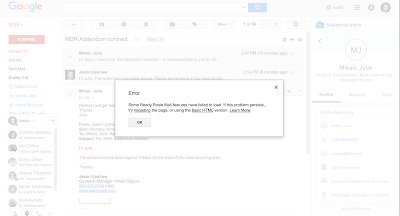
Problem:          Multiple users of Salesforce Inbox + Gmail are having issues with (1) gmail freezing, (2) emails not syncing to salesforce.           Per a user, "With it enabled I am getting extreme lag when sending messages specifically when inbox loads after I hit refresh and then again when trying to log them. Not getting a specific error, but my gmail page was freezing before and unresponsive so I would have to kill the page to continue." Solution:  After deep analysis, They have a Known Issue for this one and as of this time, the issue is now fixed for all Salesforce instances. The known issue  detail is given this link  Salesforce Inbox causes delay when loading Gmail records in chrome 72.0.3626.81  Moving forward, if you wanted to move to Salesforce extension (new extension), kindly ask for your admin to follow the steps in the article below:  Move Sales Reps to the...

Visualforce Remoting Exception: Unexpected type for MyController.myMethod(CustomObject)

What happened in Background :                 This error mainly happened when the javascript object set incorrect type value to the object fields.            So we can check the assigned values. but every body normally check the value but not the field type with the assigned value             we need to check both of that.              After check again the error display means we need to check the date field value. because mainly the javascript remoting can set the default value as null. What kind of value set in date field it shows what kind of error happening is given below as deep,             1. null                      when using the null to assign the value than java script remoting throws the  Visualforce Remoting Exception: Unexpected type for Mo...

Access Static Resource in Visualforce Page

           Accessing salesforce static resource depends on the whether you want access standalone single file or you can access file with in archive such as .zip           1. You want access stand alone single file means use $Resource . filename. here filename indicate which file you want to import in visualforce page. We want to use   $Resource.filename with this {!}. other wise it throw the error the example is given below,             <apex:image url="{!$Resource.CoffeeImage}" /> or we can access using URLFOR to access the static resource             <script type="text/javascript" src="{!URLFOR($Resource.Mainjs)}"/>          2. Access static resource from the archive means use URLFOR function. this first parameter used to point out the archive name and second parameter used to indicate the file name which are ...